 DogHush
To play your recorded voice to your dog whenever he barks, the app we recommend is DogHush on iPhone: left at home with the app open, it hears each bark and answers within about a second in your own voice, even while you’re out, through the iPhone speaker, a Bluetooth speaker or AirPlay. Put the speaker in the room where he barks, at about the loudness of your normal speaking voice, because sound quality matters: in a 2025 study, trained dogs recognized recorded words far better from a phone connected to a small Bluetooth speaker than from cheap recordable buttons, though nothing beat live speech. DogHush suits a dog who barks at noises and knows a quiet word or will learn one. It isn’t for separation anxiety, which needs a vet.
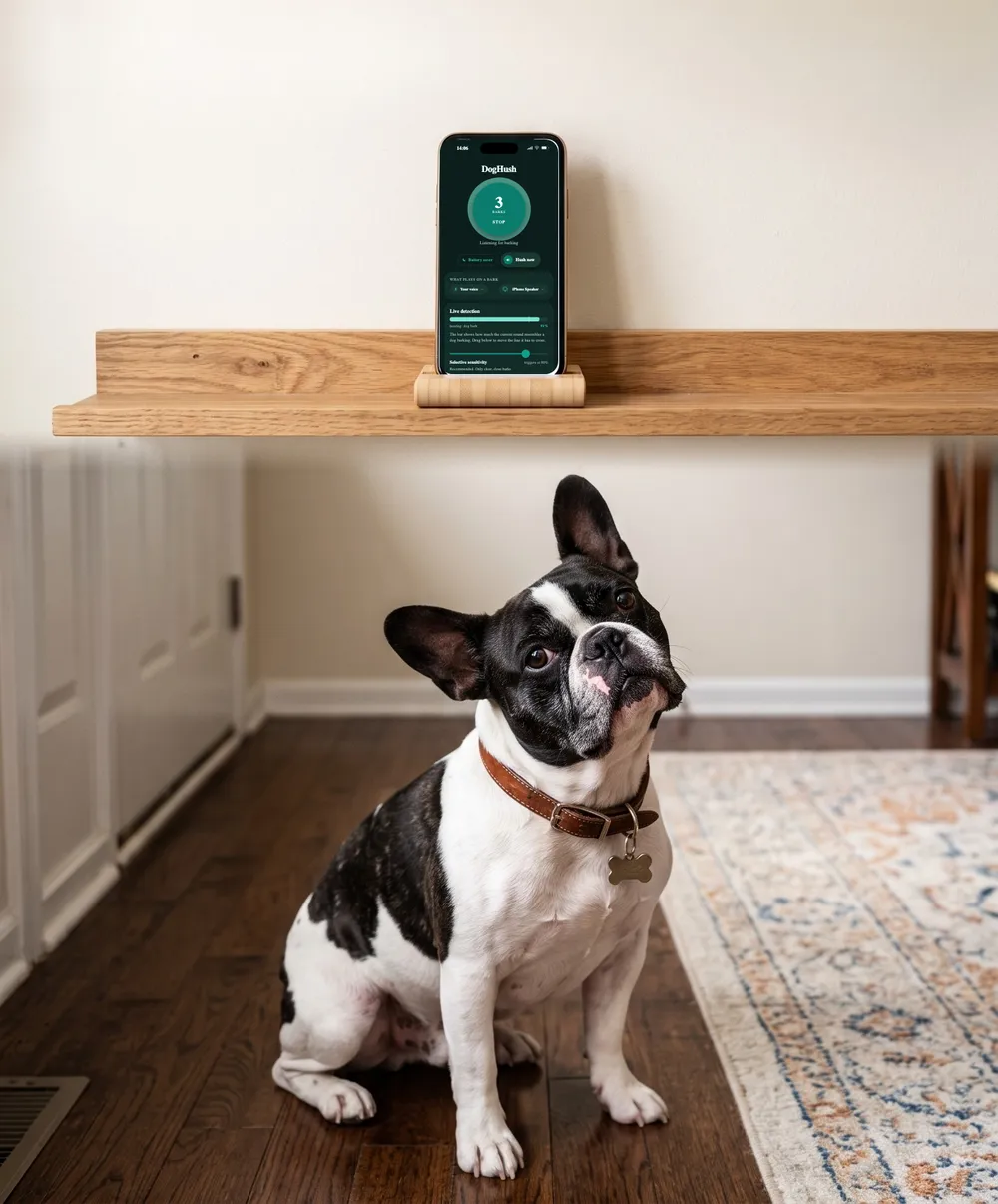
DogHush hears barking by itself and answers in your own voice. No collar, no shock.
★★★★★ “It worked way better than I thought.” App Store review
3 days free · Cancel anytime
Why not just use the phone’s speaker?
You can, if the phone sits in the room where he barks. The trouble is usually distance: the phone ends up by a charger in the hall or the kitchen, and the dog barks at the front window two rooms away. By the time your voice gets there it’s quieter and thinner, and a phone speaker is tiny to begin with.
Research points the same way. Researchers at Eötvös Loránd University in Budapest compared live speech, a smartphone playing through a small portable Bluetooth speaker, and the recordable buttons sold for “talking” dogs. Dogs did best with live speech, well with the phone and speaker, and worst with the buttons, and the authors traced the buttons’ poor results mainly to the low end of the voice being lost. In the study the speaker hung on the owner’s chest, facing the dog. At home, the closest you can get is the room he barks in.
Which kind of speaker?
| Output | Setup | What to know |
|---|---|---|
| iPhone speaker | None | Fine if the phone is in the dog’s room; small and quiet across a house |
| Bluetooth speaker | Pair once in Settings, then Bluetooth | Must stay in Bluetooth range of the iPhone, which Apple puts at about 33 feet (10 meters); walls shorten it. If the link drops, sound goes back to the iPhone |
| AirPlay speaker (HomePod, Apple TV, AirPlay 2 speakers and TVs) | Same Wi-Fi network as the iPhone | Reaches anywhere your Wi-Fi does; AirPlay buffers audio before it plays, so it can start a moment later than Bluetooth |
If you have a choice, a Bluetooth speaker in the dog’s room keeps your word closest to the bark.
Where should the speaker go?
- In the room he barks in, near the spot: the front window, the door, the gate. Your voice should arrive where his attention is.
- Not in his bed or crate. He should be able to move away from it. AVSAB’s standard for any training is that the dog always feels safe and can opt out.
- Up on a shelf or table, facing into the room, with the cable out of reach of a chewer.
- Plugged in, if it can be. Many portable speakers switch themselves off after a stretch of silence. Check the manual for an auto-off setting.
How loud should it be?
About as loud as your normal voice from across the room. The goal is a cue he notices, not a noise that makes him jump. A sudden blast is a startle, and AVSAB lists shouting and noise makers such as shaker cans among the intimidation techniques to avoid.
Set it while you’re home. Put the speaker’s own volume around the middle, then adjust the iPhone’s volume until the word is clear from where he usually barks. Watch him the next time it plays. If he flinches, cowers or leaves the room, turn it down. If he doesn’t react at all, it may be too quiet, or he may not know the word yet.
How do I set it up with DogHush?
- Connect the speaker to the iPhone. For Bluetooth, go to Settings, tap Bluetooth, put the speaker in pairing mode and tap its name when it appears. For AirPlay, make sure the iPhone and the speaker are on the same Wi-Fi network.
- Choose it as the output. In DogHush, tap the output button, which shows where sound will play and opens Apple’s own list of speakers. Or open Control Center and tap the AirPlay button.
- Leave the phone where it can hear him. The phone does the listening and the speaker does the talking. Put the iPhone in or near the room where the barking happens, plugged in, with DogHush open on screen; iOS doesn’t let apps use the microphone in the background, so the app keeps the screen awake and dims it.
- Check it once while you’re home: when he next barks, listen to how your voice sounds from his spot.
DogHush can also answer with an adjustable whistle tone or a short sound, and it’s on the App Store with a 3-day free trial. Whatever plays only helps if it means something to him, so teach the cue first.
What else can play a sound when he barks?
- A smart-speaker routine. Some smart speakers can notice barking and respond, for example with calming music or a stock sound. It plays something soothing rather than a cue he has learned, and it isn’t your voice. A HomePod you already own can do the other job instead: be the AirPlay speaker in the setup above.
- A pet camera with two-way audio. You can speak live, but only when you see the alert, and camera speakers are small. Does talking through a camera help?
When won’t a better speaker help?
When the word means nothing to him yet, when he’s deaf or hard of hearing, or when he barks because he’s distressed at being alone. Separation anxiety needs a gradual plan of short absences, sometimes with medication, worked out with your vet or a veterinary behaviorist, as the ASPCA describes; start here. And for how dogs hear a recording at all, see do dogs recognize a recorded voice.
Sources
- Sound quality impacts dogs’ ability to recognize and respond to playback words (2025). Scientific Reports. https://www.nature.com/articles/s41598-025-96824-8
- Apple Support. Connect a third-party Bluetooth accessory to your iPhone or iPad. https://support.apple.com/en-us/105108
- Apple Support. Use AirPlay to stream audio. https://support.apple.com/en-us/105068
- Apple. iPhone User Guide: Play audio from iPhone on HomePod and other wireless speakers. https://support.apple.com/guide/iphone/homepod-and-other-wireless-speakers-iph315e0d58d/ios
- Wikipedia. AirPlay (protocol and buffering). https://en.wikipedia.org/wiki/AirPlay
- American Veterinary Society of Animal Behavior. Humane Dog Training Position Statement, 2021. https://avsab.org/wp-content/uploads/2021/08/AVSAB-Humane-Dog-Training-Position-Statement-2021.pdf
- ASPCA. Common Dog Behavior Issues: Separation Anxiety. https://www.aspca.org/pet-care/dog-care/common-dog-behavior-issues/separation-anxiety
This guide is general information about dog behaviour, not veterinary advice. A sudden change in barking, or barking with signs of distress, is a reason to see a vet.