 DogHush
Leave the old iPhone plugged in, in the room where your dog barks, out of his reach and out of the sun, with Do Not Disturb on and automatic overnight updates switched off. Then give it a job: record a long voice memo to listen to later, or run DogHush, the app we recommend, which logs each bark and answers it within about a second in your own recorded voice while you’re out, as long as the app stays open on screen. DogHush suits a dog who barks at noises and knows a quiet word or will learn one. If he barks or howls from the moment you leave, that looks like separation anxiety, which needs a vet, not an app.
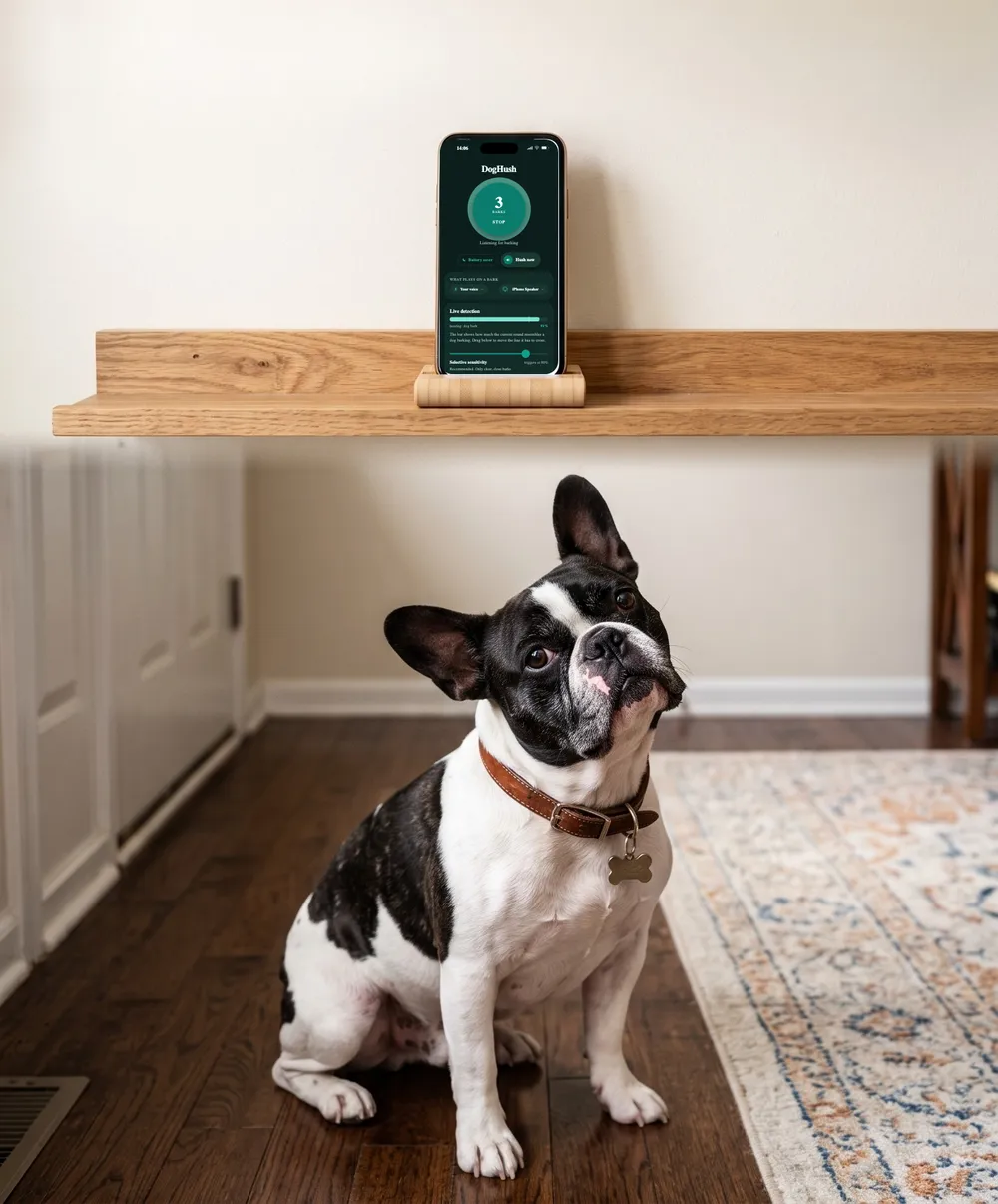
DogHush hears the bark and answers in your own voice in about a second, even when you’re out.
★★★★★ “It worked way better than I thought.” App Store review
3 days free · Cancel anytime
Will my old iPhone work?
Check its iOS version in Settings > General > About. Voice Memos is built in. DogHush needs iOS 16.4 or later, and Apple lists iOS 16 for the iPhone 8 and newer, including the second- and third-generation iPhone SE. A tired battery matters less than you’d think, because this phone will live on its charger.
How do I set it up?
- Power. Plug it in with a cable long enough to reach a shelf, and run the cable where he can’t chew it.
- Placement. The room where the barking happens, often the one nearest the front door or the street-side window, with the microphone uncovered. Keep it out of direct sun and away from heaters: Apple designs iPhones for 32° to 95° F (0° to 35° C), and says heat can make the display dim and permanently shorten battery life.
- Wi-Fi. Join your home network if you’ll use an AirPlay speaker, which has to be on the same network. DogHush listens on the phone itself and doesn’t upload audio.
- Do Not Disturb. Apple’s Do Not Disturb silences calls, alerts and notifications. Turn it on from Control Center, or schedule it for the hours you’re usually out.
- Updates. With Automatically Install on, an iPhone downloads and installs updates overnight while charging and on Wi-Fi, which is exactly how this phone spends its nights, and the restart closes your app. In Settings > General > Software Update > Automatic Updates, choose Automatically Download instead, and install updates yourself when you’re home.
How do I keep the screen on and the app open?
DogHush keeps the screen awake and dims it while it’s listening, so it needs no setting for that. To stop a paw, a cat or a curious child from closing the app, use Guided Access, which Apple describes as a way to temporarily limit the device to one app:
- Go to Settings > Accessibility > Guided Access, turn it on, and set a passcode.
- Open the app, triple-click the side button (the Home button on older models), and tap Start.
- In Options, you can turn off Touch so the screen ignores every touch. The Display Auto-Lock setting controls how quickly the phone locks during a session.
- To finish, triple-click again and enter your passcode.
Do I need a speaker?
Only if the phone will play something to your dog. An old iPhone’s speaker is small, and sound quality changes how dogs respond: in a 2025 study, trained dogs answered about 70% of recorded cues through a loudspeaker and about 30% through low-quality recordable buttons. A Bluetooth speaker near his bed, within the 33 feet (10 meters) Apple gives as the pairing range, or an AirPlay speaker on the same Wi-Fi, is an easy upgrade.
What can the old phone actually do?
| Option | What you get | Cost | The catch |
|---|---|---|---|
| DogHush | A log of barking (today, a 12-hour chart, daily and weekly history), and an answer within about a second in your recorded voice, a tone or a sound | 3-day free trial, then $4.99 a week or $29.99 a year | Your dog should know the word, and the app must stay open on screen |
| Voice Memos | One long recording to play back when you get home | Free, built in | You find out afterward. Apple notes it stops recording if another app starts playing audio, and long recordings use storage |
Prices are US prices; the App Store shows yours in local currency.
Which should I start with?
Start by finding out. One afternoon of recording tells you whether he barks at all, when, and at what; here’s how to read it. If he barks in bursts when something happens outside, DogHush can answer every bark with the quiet cue you’ve taught him; a pet-camera app can add live video, but then you’re the one who has to respond. If he barks or howls from minutes after you leave, with pacing, drooling or damage near doors, that looks like separation anxiety. The ASPCA’s approach for that is gradual training, with a vet involved, not a speaker.
What’s the catch?
The phone has to stay put. iOS doesn’t let DogHush listen in the background, so it works only while the old iPhone is at home, on and plugged in, with the app open on screen. That is the reason to use a spare phone at all: your everyday iPhone goes with you, and the old one does the listening. If you also need a written record for a neighbor or a landlord, here’s what to keep.
Sources
- Apple Support. Find the software version on your iPhone, iPad, or iPod touch. https://support.apple.com/en-us/109065
- Apple Support. iOS 16 and iPadOS 16 are compatible with these devices. https://support.apple.com/en-us/103267
- Apple Support. If your iPhone or iPad gets too hot or too cold. https://support.apple.com/en-us/118431
- Apple Support. How to turn Do Not Disturb on or off on your iPhone. https://support.apple.com/en-us/105112
- Apple Support. Update your iPhone or iPad. https://support.apple.com/en-us/118575
- Apple Support. Use Guided Access on iPhone or iPad. https://support.apple.com/en-us/111795
- Apple Support. Make a recording in Voice Memos on iPhone. https://support.apple.com/guide/iphone/make-a-recording-iph4d2a39a3b/ios
- Sound quality impacts dogs’ ability to recognize and respond to playback words (2025). Scientific Reports. https://www.nature.com/articles/s41598-025-96824-8
- Apple Support. Connect a third-party Bluetooth accessory to your iPhone or iPad. https://support.apple.com/en-us/105108
- Apple Support. Use AirPlay to stream audio. https://support.apple.com/en-us/105068
- ASPCA. Common Dog Behavior Issues: Separation Anxiety. https://www.aspca.org/pet-care/dog-care/common-dog-behavior-issues/separation-anxiety
This guide is general information about dog behaviour, not veterinary advice. A sudden change in barking, or barking with signs of distress, is a reason to see a vet.